
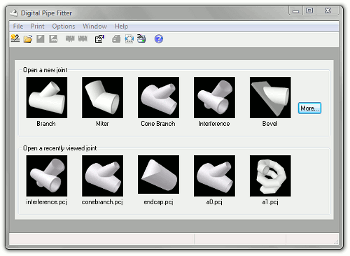
 When no joints are open, the main application window contains a graphic list of the most commonly used joints that can be opened by a simple click on its picture.
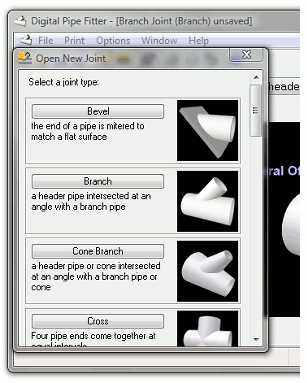
The top row of pictures contains the 5 most commonly used joint types. Clicking on one of these will open a new joint with its default settings. (See "File-Store as Default" for storing default settings for each joint.) The "More..." button opens the joint selection wizard where any available joint can be selected for opening.
 The bottom row of pictures is a list of the most recently viewed joints that have been saved to disk. Clicking any of these pictures will open the saved joint. This list is the first five entries in the "File - Open Recent" menu list.
The "File - Open Joint/Project" menu item opens a joint or project file from disk. Digital Pipe Fitter saves joints and projects to disk with the .pcj file extension.
The "File - New Joint" sub-menu presents a full list of available joints as well as a joint selection wizard to assist in selection.
Also, opening a .pcj file with Window Explorer will open the Digital Pipe Fitter application and load that file. A .pcj file can also be drag and dropped from Windows Explorer to the Digital Pipe Fitter window to load that joint or project.